How Can Office Ergonomics Boost Comfort and Productivity?
Introduction: What is Office Ergonomics?

Office ergonomics refers to the science of designing a workspace to fit the user’s needs, minimizing discomfort and reducing the risk of injury. In an office setting, ergonomics focuses on optimizing the workstation layout, furniture, and tools to help workers maintain good posture, avoid repetitive strain injuries, and work more efficiently. It’s all about creating a comfortable and supportive environment where employees can thrive—both physically and mentally.
Why is Office Ergonomics Important?
1. Reducing Workplace Injuries
One of the most common causes of discomfort in office workers is poor posture, which can lead to musculoskeletal disorders (MSDs), such as back pain, carpal tunnel syndrome, and neck strain. By improving the ergonomics of a workspace, employers can significantly reduce these injuries, which are responsible for a significant number of lost work hours each year.
2. Increasing Productivity
When employees are physically comfortable, they are better able to focus and perform their tasks effectively. Ergonomic adjustments, like proper desk height or keyboard placement, can reduce distractions caused by discomfort, leading to fewer breaks and less fatigue.
3. Enhancing Employee Well-being
A well-designed workspace can improve mental health by lowering stress levels. When workers feel supported by their environment, it fosters a sense of well-being, which can translate into better overall job satisfaction and morale.
4. Saving on Healthcare Costs
Ergonomic adjustments can help prevent long-term injuries and illnesses that lead to costly medical bills or workers' compensation claims. By proactively creating a healthier work environment, businesses can lower healthcare costs and absenteeism.

Key Principles of Office Ergonomics
1. Chair Selection and Adjustment
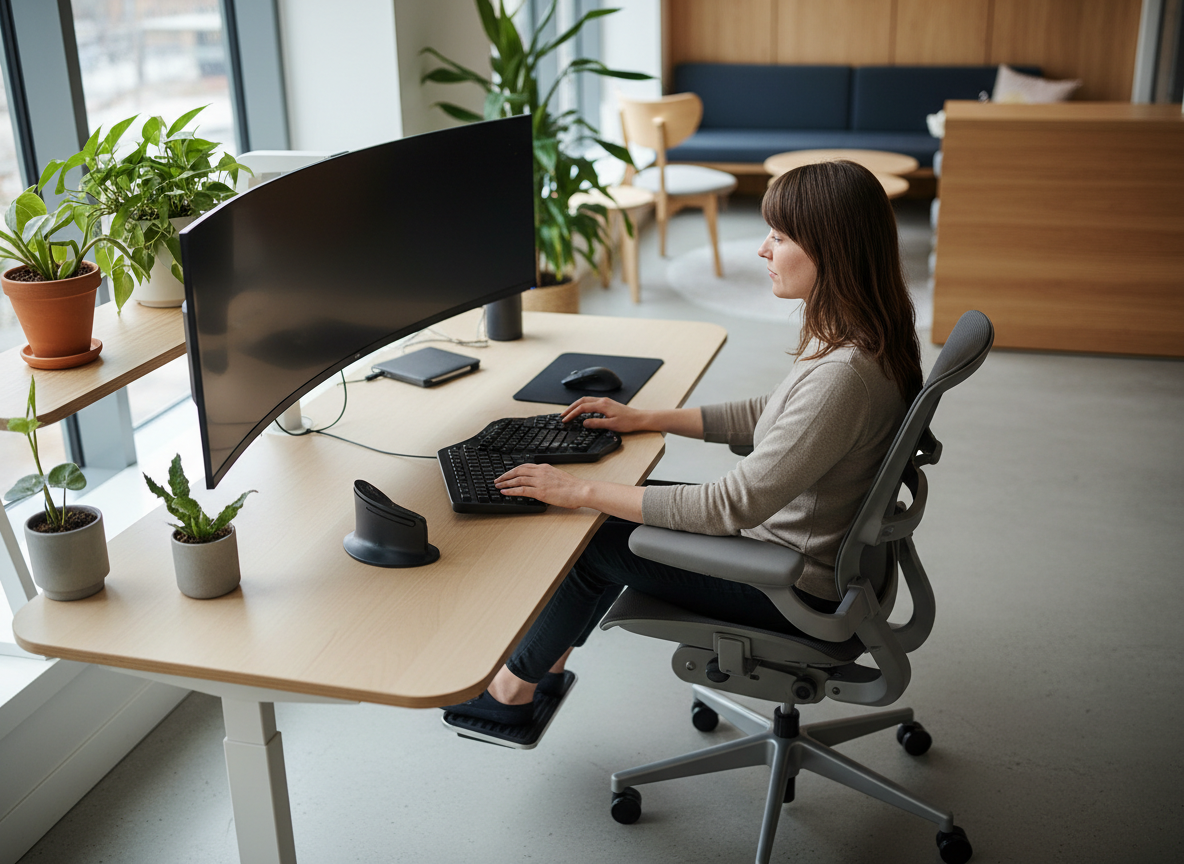
A good office chair is the cornerstone of ergonomic design. It should support the natural curve of the spine, provide lumbar support, and be fully adjustable to accommodate different body types and preferences. A chair that encourages a neutral posture is essential for preventing back and neck pain.
- Tip: Your feet should rest flat on the floor or on a footrest, and your knees should be at a 90-degree angle.
2. Desk Height and Layout
The height of your desk should allow your arms to be at a 90-degree angle while typing, with your shoulders relaxed. The desk should also provide enough space for your knees and legs to move freely beneath it.
- Tip: Keep your mouse and keyboard at the same level to avoid reaching for one or the other, which can cause strain.
3. Monitor Placement
Your computer monitor should be at eye level to avoid straining your neck. The top of the screen should be roughly at or just below eye level, about 20-30 inches from your eyes, and the screen should be tilted slightly upward for comfort.
- Tip: Use a monitor stand if necessary, or adjust the height of your desk to keep your screen at the proper level.
4. Keyboard and Mouse Positioning
The position of your keyboard and mouse should allow your forearms to be parallel to the floor. The keyboard should be directly in front of you, and your wrists should remain straight while typing to prevent strain.
- Tip: Consider using an ergonomic keyboard or split keyboard design to reduce wrist stress.
5. Lighting
Good lighting can help reduce eye strain and headaches. Ensure that your workspace is well-lit, but avoid direct light or glare on your screen. Natural light is ideal, but if that’s not possible, use adjustable desk lamps with soft, warm light.
Tips for Creating an Ergonomic Office
1. Invest in Adjustable Furniture
Height-adjustable desks and chairs that can be customized to fit the user are an excellent investment. Standing desks, for example, allow employees to alternate between sitting and standing throughout the day, which can reduce the risks associated with prolonged sitting.
2. Encourage Movement
Sitting for long periods can be detrimental to health. Encourage employees to stand up, stretch, or walk around every 30-60 minutes. Even small changes, like standing for phone calls or using a walking desk, can make a big difference.
- Tip: Implement a “deskercise” routine or provide employees with reminders to move every hour.
3. Use Ergonomic Accessories
- Keyboards: Invest in ergonomic keyboards that encourage a natural wrist position.
- Mouse: Consider vertical or trackball mice, which reduce strain on the wrist.
- Wrist Rests: Provide wrist rests for keyboards and mice to reduce pressure on the wrists.
4. Provide Proper Training
Educate employees on the importance of ergonomics and encourage them to adjust their workstations for optimal comfort. Simple habits like adjusting chair height, taking breaks, and maintaining good posture can have a significant impact on comfort and productivity.
5. Promote Stretching and Movement
Encourage employees to perform regular stretching exercises or offer yoga sessions to combat the effects of prolonged sitting. Stretching can improve flexibility and reduce the risk of muscle tightness or injury.
The Benefits of Office Ergonomics for Employers and Employees
1. Increased Productivity
Employees who are comfortable are more likely to stay focused and work efficiently. Ergonomic interventions such as proper seating, adjustable desks, and thoughtful layout contribute to a more productive work environment.
2. Better Employee Engagement
When employees feel that their well-being is a priority, they are more likely to be engaged in their work. A focus on office ergonomics shows that the company cares about its staff, leading to greater job satisfaction and retention.
3. Fewer Sick Days and Health Costs
A focus on ergonomics can reduce the incidence of musculoskeletal injuries, leading to fewer sick days. Moreover, by preventing chronic conditions like back pain or carpal tunnel syndrome, companies can save on healthcare costs.
4. A Competitive Edge
Companies that prioritize ergonomics can attract top talent who value a healthy work environment. This commitment to well-being can be a selling point when recruiting new employees.
The Future of Office Ergonomics
As the world of work evolves, so does the field of office ergonomics. Remote and hybrid work environments are now more common than ever, which means ergonomic solutions need to be adaptable. From ergonomic home office setups to innovative products like smart desks that adjust based on your activity level, the future of office ergonomics is exciting and ever-changing.
Moreover, with the rise of wearable technology, companies are finding ways to monitor employee posture and movement in real-time, providing feedback and suggestions to improve ergonomics.
Conclusion: Small Changes, Big Impact
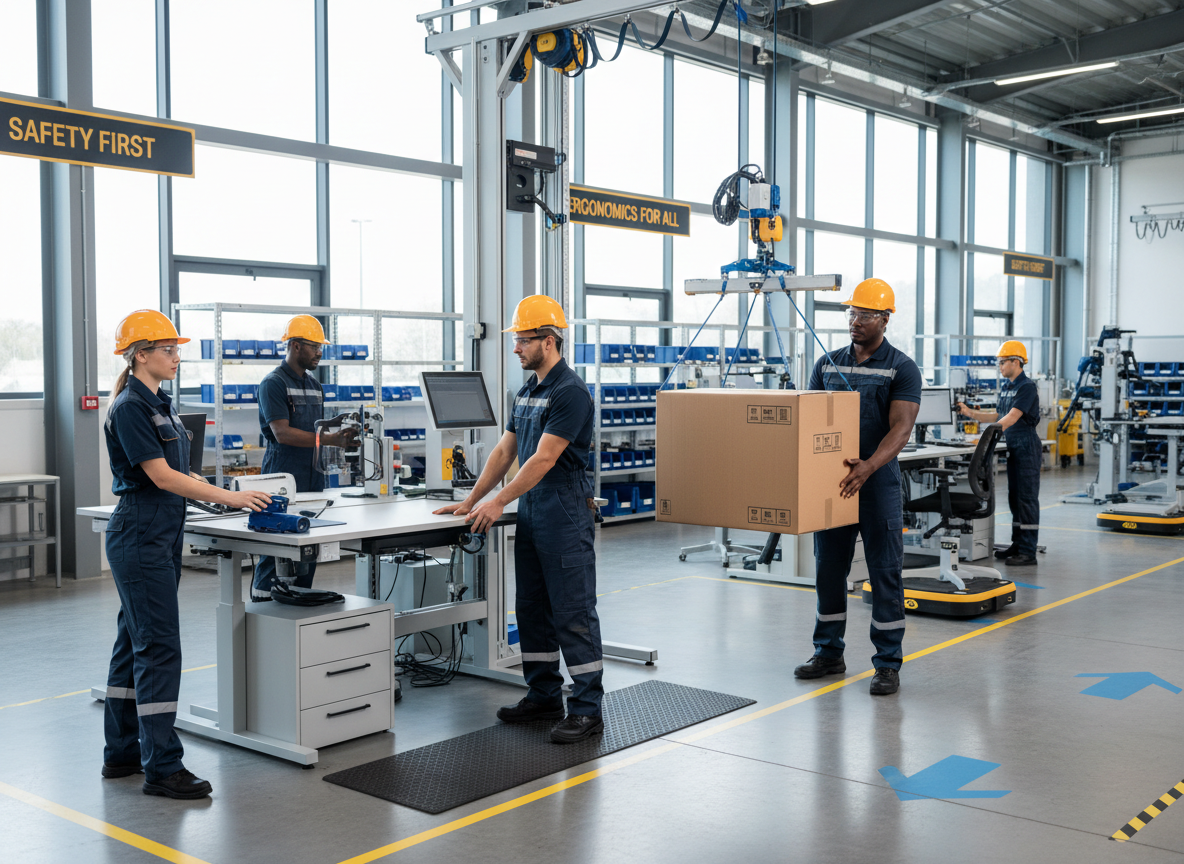
Office ergonomics is about more than just comfort—it’s about creating an environment that allows employees to work at their best, without the pain or fatigue that can lead to poor performance. By investing in ergonomic furniture, training, and promoting a culture of movement and self-care, employers can improve employee health, increase productivity, and create a positive work environment.
Call to Action:
Take a closer look at your current workspace. Are you sitting in a chair that supports your spine? Is your monitor at eye level? Make small adjustments today to create an ergonomic office and start experiencing the benefits right away!